
Microsoft Office 2010 & Spreadsheet Management Guide
Complete guide to Microsoft Office 2010 features, installation, and practical lessons for spreadsheet management.
Exploring Microsoft Office 2010
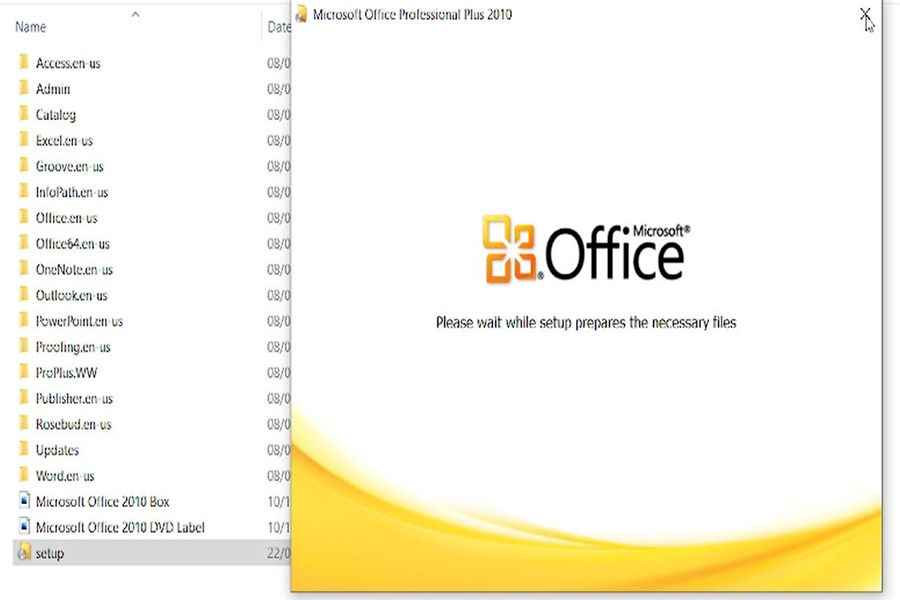
Microsoft Office 2010 was a significant release that brought several new features and improvements to the popular productivity suite. Released on June 15, 2010, it introduced an enhanced user interface, better collaboration tools, and improved performance.
Some of the key features of Microsoft Office 2010 include:
- Introduction of the Ribbon interface for all Office applications.
- Backstage view for easier document management and printing.
- Improved collaboration with co-authoring and real-time editing features.
- Integration of Office Web Apps for online document editing and sharing.
If you're interested in trying out Microsoft Office 2010, you can download a trial version from the official Microsoft website. Just click the button below to get started:
Remember that Microsoft Office 2010 has reached its end of support, so it's recommended to consider upgrading to a more recent version to ensure security and compatibility with the latest features.
Discovering Microsoft Publisher
Microsoft Publisher, often underestimated, is a versatile desktop publishing application that empowers users to create professional-quality designs for print and online publications. Whether you're crafting brochures, flyers, newsletters, or even greeting cards, Publisher offers a host of features to unleash your creativity.
With intuitive templates, customizable layouts, and an array of fonts and images, Publisher makes design accessible to everyone, from beginners to design enthusiasts.
Becoming a Publisher Pro
If you're ready to take your skills to the next level, here are a few steps to becoming a Microsoft Publisher Pro:
- Explore Tutorials: Start with basic tutorials to grasp the Publisher interface, tools, and features.
- Experiment with Templates: Modify pre-designed templates to understand layout, font, and color choices.
- Customize Designs: Create your designs from scratch, experimenting with text, images, and formatting.
- Master Typography: Learn about fonts, typography rules, and effective text placement.
- Understand Color Theory: Grasp the basics of color theory to create visually appealing designs.
- Practice Regularly: The more you practice, the more confident you'll become in using Publisher.
Are you ready to unlock your creativity with Microsoft Publisher? Get Started with Publisher
Practical Video Lesson
Watch the complete tutorial for installing and using Microsoft Office 2010 below.
Download Resources
Want the resources? Click the button below.
Before Your Download Begins...
To support the creation of more free tutorials, kindly subscribe first.
Get access to:
- Complete Tutorials
- Practical Video Lessons
- Office 2010 Resources
- Publisher Templates
Subscribe to our YouTube Channel
Click the button below to subscribe – your download will start automatically after subscription.
Conclusion
This guide covers Microsoft Office 2010 features, installation, and practical lessons for Spreadsheet Management. Whether you're preparing for an examination or looking to enhance your skills, these resources will help you succeed. If you found this guide helpful, watch the accompanying practical video and download the resources for additional practice.
Join Our Tech Family
Get new lessons, tech tips, and updates directly on your phone. Be part of our growing IT community, never miss a tutorial or Windows tip!
World Class IT Solutions Across the Globe.
Empowering Businesses, Students & Organizations with World Class IT Solutions Across the Globe.
 USA
USA UK
UK Canada
 Australia
 Germany
 France
 India
India Nigeria
 Ghana
Ghana Kenya
Kenya South Africa
 Brazil
 Mexico
 Japan
Japan China
China Russia USA UK Canada Australia Germany France India Nigeria Ghana Kenya South Africa Brazil Mexico Japan China Russia
Our Other Plans
Explore our professional services tailored to meet your business needs. Click "Get a Quote" to start a conversation on WhatsApp.
Front-End Development
Responsive UIs, interactive components, modern frameworks & performance.
Get a QuoteOur Services Membership Plans
Get instant access to the full script library — activate online in minutes, no waiting. Choose the plan that fits your needs and unlock premium resources, source code, and commercial licenses.
VIP MEMBERSHIP
One Plan. Every Script. Full Source Code.
Instead of buying scripts one by one, get access to everything — every template and source code we have built, plus everything we ship in the future. One plan, no restrictions.
- Full Script Library
- Complete Source Code
- Future Scripts Included
- 6 Months Direct Support
PHP + Apps Script
- Full Access — PHP & Apps Script projects
- Step-by-step video guides
- Commercial-use license
- AI Prompts included — Free
- Ready-to-use projects
- Bug fixes & free future updates
- Future video releases auto added
- Installation help included
- No recurring charges
- 1 downloads/day
- Full source code access
- Files you download stay yours for lifetime
- Resale rights included
- Modification rights included
- 24/7 WhatsApp support
PHP + Apps Script
- Full Access — PHP & Apps Script projects
- Step-by-step video guides
- Commercial-use license
- AI Prompts included — Free
- Ready-to-use projects
- Bug fixes & free future updates
- Future video releases auto added
- Installation help included
- No recurring charges
- 2 downloads/day
- Full source code access
- Files you download stay yours for lifetime
- Resale rights included
- Modification rights included
- 24/7 WhatsApp support
PHP + Apps Script
- Full Access — PHP & Apps Script projects
- Step-by-step video guides
- Commercial-use license
- AI Prompts included — Free
- Ready-to-use projects
- Bug fixes & free future updates
- Future video releases auto added
- Installation help included
- No recurring charges
- 3 downloads/day
- Full source code access
- Files you download stay yours for lifetime
- Resale rights included
- Modification rights included
- 24/7 WhatsApp support
Languages & Technologies We Work With
Core competencies and the business problems each one solves. From automation to full-stack solutions, these tools power our services.